The spreadsheet vs worksheet distinction refers to the difference between an entire spreadsheet file or document and an individual worksheet contained within it. A spreadsheet can contain one or more worksheets, while a worksheet is the individual grid where you enter and work with data. However, the exact usage of these terms can vary depending on the software or context. Terms such as spreadsheet, worksheet, workbook, spreadsheet file, sheet, and tab are related but do not always refer to the same thing.
A spreadsheet is a digital tool used to organize, calculate, analyze, and manage data, while a worksheet is typically a single page or tab within a spreadsheet file. If you’ve come across the terms “spreadsheet” and “worksheet” and wondered whether they mean the same thing, the distinction is mainly related to their scope, structure, and how they are used. Both terms are closely connected to cells, rows, columns, formulas, data, tables, calculations, and spreadsheet software.
In this guide, you’ll learn what “spreadsheet” means, what “worksheet” means, the key differences between a spreadsheet and a worksheet, and how these terms are used in programs such as Microsoft Excel and Google Sheets. You’ll also see clear examples to make the distinction easy to understand.
By the end, you’ll know exactly when to use “spreadsheet” and “worksheet,” how they differ, and why the two terms are sometimes used interchangeably even though they can refer to different parts of a data-management document.
Spreadsheet vs Worksheet: The Quick Answer
The simplest distinction is this:
A spreadsheet is a general term for a grid-based tool or document used to organize and work with data, while a worksheet is an individual sheet within a workbook.
However, there is an important terminology issue.
In everyday language, people often use spreadsheet and worksheet interchangeably. Microsoft itself defines a worksheet as a primary Excel document for storing and working with data and notes that it is also called a spreadsheet.
That means the correct interpretation depends on context.
| Term | Basic meaning | Example |
| Spreadsheet | A general grid-based data tool or document | An Excel spreadsheet used for expenses |
| Workbook | An Excel file containing worksheets | AnnualBudget.xlsx |
| Worksheet | An individual sheet inside a workbook | January |
| Cell | One location within a worksheet | B5 |
Think of it like a book.
A workbook is like the entire book.
A worksheet is like one page or section.
A cell is like one specific location on that page.
The analogy is not technically exact, but it makes the hierarchy easier to understand.
What Is a Spreadsheet?
A spreadsheet is a digital tool or document that organizes information into rows and columns. The intersection of a row and column creates a cell, where you can enter text, numbers, dates, formulas, or other data.
Spreadsheets are particularly useful because they do more than store information. They can also calculate values, sort and filter data, analyze information, create charts, and automate repetitive calculations.
Microsoft describes Excel as a tool that can be used for everything from simple calculations and information tracking to working with large amounts of data.
For example, a small business could create a spreadsheet containing:
- Product names
- Prices
- Quantities
- Sales totals
- Customer information
- Expenses
- Monthly revenue
- Profit calculations
Instead of calculating every number manually, formulas can automatically perform calculations whenever the underlying data changes.
Spreadsheet Definition
A spreadsheet can generally be understood as a grid-based digital document or application for entering, organizing, calculating, analyzing, and presenting data.
The term can refer to either the general category of software or, depending on context, an individual spreadsheet document.
Common spreadsheet applications include:
- Microsoft Excel
- Google Sheets
- Apple Numbers
- LibreOffice Calc
Google, for example, describes Google Sheets as an online spreadsheet application that allows users to create and format spreadsheets, work with formulas, and collaborate with other people.
How a Spreadsheet Is Organized
Most spreadsheets use a grid structure made up of:
- Rows: Horizontal lines of cells, usually identified by numbers.
- Columns: Vertical lines of cells, usually identified by letters.
- Cells: Individual spaces where data is entered.
- Formulas: Instructions used to perform calculations.
- Functions: Built-in formulas designed for specific calculations.
- Ranges: Groups of cells used together.
- Charts: Visual representations of spreadsheet data.
For example, in Excel, cell B5 means column B and row 5.
If B5 contains 500 and B6 contains 300, a formula such as =B5+B6 can calculate the combined value.
This basic structure is what makes spreadsheets useful for both simple personal tasks and complex business analysis.
Common Spreadsheet Examples
Spreadsheets can be used for almost any task involving structured information.
Common examples include:
| Use | Example |
| Personal finance | Monthly household budget |
| Business | Sales tracking |
| Accounting | Income and expenses |
| Education | Student grade tracking |
| Inventory | Product quantities |
| Project management | Task and deadline tracking |
| Human resources | Employee records |
| Data analysis | Statistical calculations |
| Scheduling | Employee work schedules |
| Planning | Project timelines |
A spreadsheet does not have to be complicated. A two-column list of expenses and amounts is technically enough to make a simple spreadsheet useful.
What Is a Worksheet?
A worksheet is an individual sheet containing a grid of rows and columns where you enter and work with data.
The term is especially important in Microsoft Excel.
Microsoft defines a worksheet as the primary document used in Excel to store and work with data. It consists of cells organized into rows and columns and is stored within a workbook.
In an Excel workbook, you normally see worksheets represented by tabs at the bottom of the application window.
For example:
[January] [February] [March] [April]
Each tab represents a separate worksheet.
You can move between them by selecting the appropriate tab.
Worksheet Definition
A worksheet is an individual grid of cells within a workbook.
It can contain:
- Text
- Numbers
- Dates
- Formulas
- Functions
- Tables
- Charts
- Formatting
- Filters
- Conditional formatting
- Data validation
- Other Excel objects
The worksheet is where much of the actual work takes place.
For example, an Employees worksheet might contain:
| Employee | Department | Salary | Start Date |
| Sarah | Marketing | $58,000 | Jan. 15 |
| James | Sales | $64,000 | Feb. 3 |
| Maria | Finance | $71,000 | Mar. 20 |
The worksheet provides the structure for storing and manipulating that information.
Worksheet in Excel
Excel documents are called workbooks, and each workbook can contain worksheets. Microsoft explains that users can add sheets to a workbook or create separate workbooks when they need to keep data separate.
For example, a company might create:
Sales Report.xlsx
Inside that workbook:
- Sales
- Expenses
- Inventory
- Customers
- Annual Summary
Each of those is a worksheet.
The worksheets can contain formulas that reference information from other worksheets.
For example, an Annual Summary worksheet could pull monthly totals from January through December worksheets.
This makes worksheets more than simple pages. They can form an interconnected structure for managing information.
Spreadsheet vs Worksheet: Key Differences
The difference becomes clearer when you compare their scope.
| Feature | Spreadsheet | Worksheet |
| Meaning | General term for a grid-based data tool or document | Individual sheet used to store and work with data |
| Scope | Broad | More specific |
| Can contain multiple sheets? | Depending on the software and terminology, yes | No; it is itself one sheet |
| Rows and columns | Yes | Yes |
| Cells | Yes | Yes |
| Formulas | Can contain formulas | Can contain formulas |
| Charts | Can contain charts | Can contain charts |
| Example | An Excel spreadsheet | The January worksheet |
| Common context | General discussion | Specific sheet inside a workbook |
The biggest difference is scope.
When someone says, “I need the spreadsheet,” they may be referring to the overall spreadsheet file.
When someone says, “Update the January worksheet,” they are identifying a particular sheet.
Scope and Structure
A useful hierarchy is:
Spreadsheet software → Workbook → Worksheet → Cell
For Microsoft Excel, however, it is more precise to distinguish between the software and the file:
Excel → Workbook → Worksheet → Cell
For example:
- Excel = spreadsheet application
- AnnualBudget.xlsx = workbook
- January = worksheet
- B5 = cell
This distinction prevents several common terminology mistakes.
Workbook vs Worksheet
The difference between a workbook and a worksheet is especially important when discussing Excel.
A workbook is the Excel file itself.
A worksheet is an individual sheet inside that file.
Microsoft’s Excel glossary defines a workbook as a spreadsheet program file created in Excel and states that a workbook contains worksheets made up of rows and columns for entering and calculating data.
Example
Suppose you create:
Company_Finances.xlsx
That is your workbook.
Inside it, you create:
- Revenue
- Expenses
- Payroll
- Taxes
- Annual Summary
Those are worksheets.
The workbook brings all of those related worksheets together in one file.
Why the Distinction Matters
Imagine sending a coworker the January worksheet when they actually need the entire Annual Budget.xlsx workbook.
You may accidentally leave out the February, March, and Annual Summary worksheets.
Understanding the difference helps you communicate precisely.
Spreadsheet vs Worksheet vs Workbook
The three terms are related, but they describe different levels of the structure.
| Term | What it means | Example |
| Spreadsheet | General term for grid-based data software or documents | A spreadsheet used to calculate sales |
| Workbook | An Excel file containing worksheets | SalesReport.xlsx |
| Worksheet | One individual sheet inside the workbook | January |
| Cell | One location inside a worksheet | C7 |
Consider this example:
Workbook: 2026 Sales.xlsx
Worksheets:
- January
- February
- March
- Q1 Summary
Cell: D15 on the March worksheet
The word spreadsheet can describe the overall data document in casual usage, while workbook and worksheet are more precise Excel terms.
How Spreadsheets and Worksheets Work Together
A spreadsheet becomes much more useful when related information can be separated into different worksheets.
Imagine a retail company tracking annual sales.
Instead of putting everything into one enormous worksheet, the company might organize the workbook like this:
Sales2026.xlsx
→ January
→ February
→ March
→ April
→ May
→ June
→ July
→ August
→ September
→ October
→ November
→ December
→ Annual Summary
Each worksheet contains data for a particular month.
The Annual Summary worksheet can then calculate totals from those individual worksheets.
This structure keeps information organized while allowing formulas and references to connect related data.
From Workbook to Worksheet to Cell
The hierarchy can be visualized as:
Workbook
↓
Worksheet
↓
Rows and columns
↓
Cells
↓
Data or formulas
For example:
Budget.xlsx
→ January worksheet
→ Column B
→ Row 8
→ Cell B8
→ $1,250
A formula in another cell could reference B8 and use that value in a larger calculation.
Excel also supports references across worksheets and workbooks, allowing information in one location to be used elsewhere. Microsoft documents this functionality for both references within the same workbook and links between different workbooks.
Example of a Spreadsheet With Multiple Worksheets
Consider a small online store.
The owner creates a workbook called:
Online Store Management.xlsx
It contains these worksheets:
| Worksheet | Purpose |
| Products | Product names, prices, and SKUs |
| Inventory | Stock quantities |
| Orders | Customer orders |
| Expenses | Operating costs |
| Revenue | Sales totals |
| Dashboard | Key business metrics |
Each worksheet has a specific role.
The Products worksheet might contain product information, while the Orders worksheet records transactions.
The Dashboard worksheet can then summarize information from the other worksheets.
This is a much cleaner structure than putting every type of information into one massive grid.
Spreadsheet vs Worksheet in Microsoft Excel
Microsoft Excel provides a particularly clear example of how these terms relate.
When you open Excel and choose Blank workbook, Excel creates a workbook. That workbook contains sheets where you can enter data.
A worksheet is therefore the working grid inside the workbook.
What Is an Excel Workbook?
An Excel workbook is a file that can contain one or more worksheets.
For example:
Budget.xlsx
can contain:
- January
- February
- March
- April
- Annual Total
The workbook is the container that keeps those sheets together.
What Is an Excel Worksheet?
An Excel worksheet is one individual sheet in the workbook.
It contains the familiar grid of rows and columns.
You can rename, move, copy, and reorganize worksheets. Microsoft specifically provides tools for moving or copying worksheets within the same workbook or to another workbook.
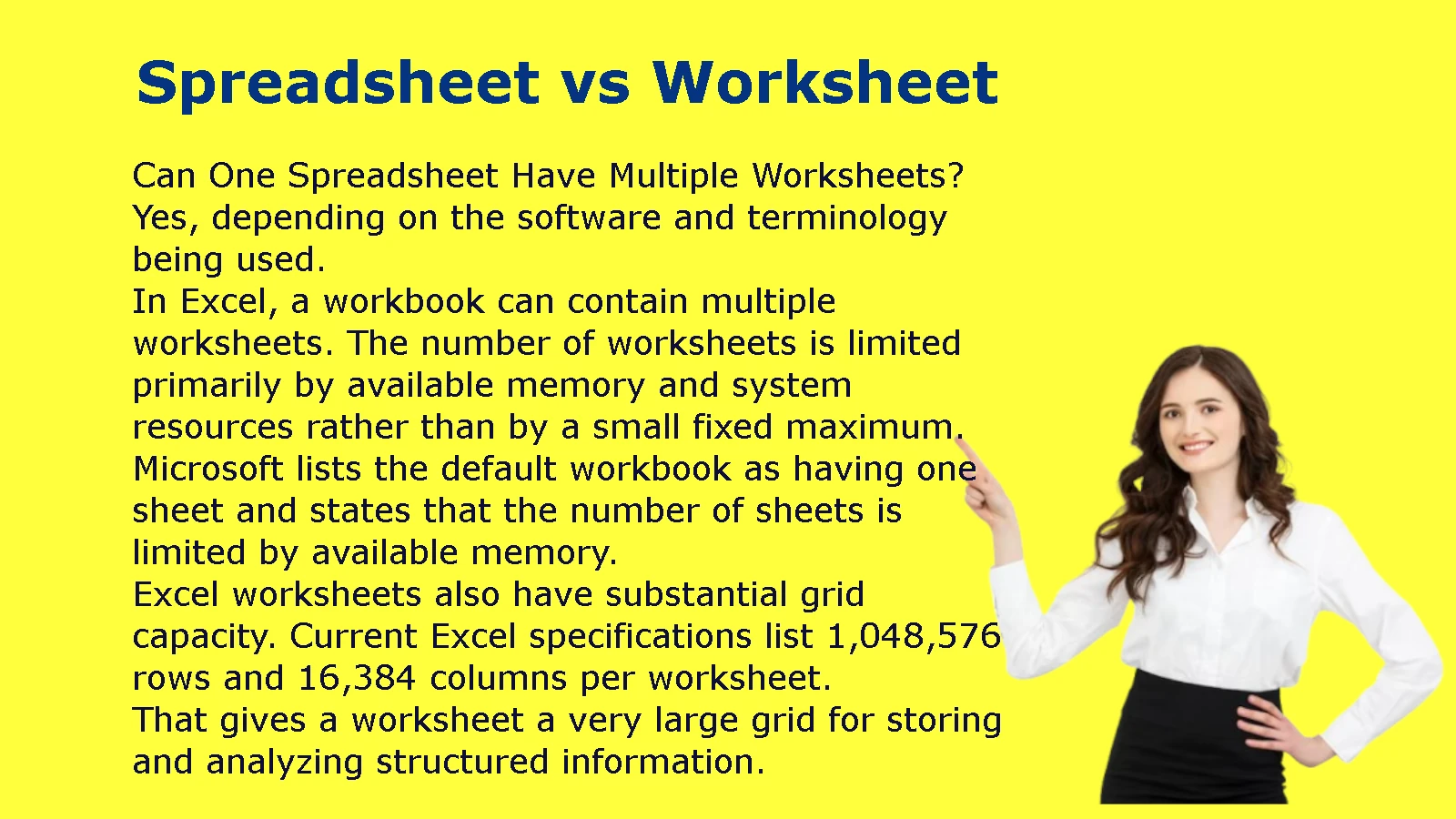
Can One Spreadsheet Have Multiple Worksheets?
Yes, depending on the software and terminology being used.
In Excel, a workbook can contain multiple worksheets. The number of worksheets is limited primarily by available memory and system resources rather than by a small fixed maximum. Microsoft lists the default workbook as having one sheet and states that the number of sheets is limited by available memory.
Excel worksheets also have substantial grid capacity. Current Excel specifications list 1,048,576 rows and 16,384 columns per worksheet.
That gives a worksheet a very large grid for storing and analyzing structured information.
Spreadsheet vs Worksheet in Google Sheets
Google Sheets uses similar concepts, although its terminology and interface differ from Excel.
Google describes Sheets as an online spreadsheet app that allows users to create, format, edit, and collaborate on spreadsheets.
A Google Sheets document can contain multiple sheets.
For example:
Marketing Plan
- Content Calendar
- Keyword Research
- Competitors
- Publishing Schedule
- Results
Each individual tab represents a separate sheet within the spreadsheet.
Google’s documentation even includes a SHEETS function that returns the number of sheets in a referenced spreadsheet, demonstrating the distinction between the overall spreadsheet document and its individual sheets.
The practical idea is therefore similar:
Spreadsheet document → Individual sheets → Cells
Spreadsheet vs Worksheet Examples
The easiest way to understand the distinction is through real-world examples.
Example: Personal Budget
Imagine you want to manage your household finances.
You could create a spreadsheet called:
Household Budget 2026
Inside it, you might create worksheets for:
- Income
- Fixed Expenses
- Variable Expenses
- Savings
- Debt
- Annual Summary
The overall document is your spreadsheet or workbook.
Each tab is a worksheet.
The individual numbers are stored in cells.
For example:
| Category | Monthly Amount |
| Rent | $1,500 |
| Utilities | $220 |
| Groceries | $450 |
| Transportation | $180 |
A formula could calculate the total monthly expenses automatically.
Example: Business Sales
A business might maintain:
Sales Report 2026
with worksheets for:
- January
- February
- March
- April
- Q1 Summary
Each monthly worksheet could contain:
| Product | Units Sold | Revenue |
| Product A | 120 | $6,000 |
| Product B | 85 | $4,250 |
| Product C | 60 | $3,600 |
The Q1 Summary worksheet could combine the monthly results.
This is a practical reason to use multiple worksheets instead of putting every record into a single sheet.
Example: Student Grade Tracking
A teacher could create a workbook called:
Class Grades.xlsx
It might contain:
- Students
- Assignments
- Quizzes
- Exams
- Final Grades
The Final Grades worksheet could use information from the other worksheets to calculate overall grades.
This illustrates why understanding the difference matters.
A worksheet is not necessarily a separate file. It can be one component of a larger workbook.
When Should You Use the Term Spreadsheet?
Use spreadsheet when you are talking about the general tool, document, or concept.
For example:
“I created a spreadsheet to track our expenses.”
“Please send me the spreadsheet.”
“We use spreadsheets to analyze sales data.”
“I need a spreadsheet for my monthly budget.”
In these situations, the listener usually does not need to know which individual worksheet you mean.
The term is broad enough to describe the overall document or category.
When Should You Use the Term Worksheet?
Use worksheet when you are referring to one particular sheet within a workbook.
For example:
“Update the January worksheet.”
“Add a new worksheet for inventory.”
“Copy the worksheet into the new workbook.”
“The formula is on the Summary worksheet.”
This is more precise because you are identifying a specific part of the larger file.
Microsoft’s terminology reflects this distinction: a worksheet is a sheet used to store and work with data and is stored within a workbook.
Common Confusion About Spreadsheets and Worksheets
Is a Worksheet the Same as a Spreadsheet?
Sometimes, but not always.
In everyday conversation, people may call an individual worksheet a spreadsheet.
Microsoft itself notes that a worksheet is also called a spreadsheet.
However, in a more technical Excel discussion, worksheet usually means one individual sheet, while workbook refers to the file containing those sheets.
So the safest approach is to consider the context.
If you are talking about a specific tab, worksheet is more precise.
If you are talking about the overall document or general technology, spreadsheet is usually appropriate.
Is an Excel Worksheet a Spreadsheet?
Yes, a worksheet can be described as a spreadsheet in general usage.
However, in Excel’s more specific terminology, calling it a worksheet makes the meaning clearer because it distinguishes the individual sheet from the entire workbook.
For example:
“Enter the figures into the worksheet.”
is more precise than:
“Enter the figures into the spreadsheet.”
if the workbook contains multiple sheets.
Is a Workbook the Same as a Spreadsheet?
Not necessarily.
A workbook is specifically an Excel file containing worksheets.
The word spreadsheet is broader and can refer to the overall document, the general concept, or spreadsheet software.
Therefore:
Workbook ≠ Worksheet
and
Workbook ≠ Spreadsheet in every context
But an Excel workbook can certainly be described as a spreadsheet file in everyday language.
Can One Spreadsheet Contain Multiple Worksheets?
Yes.
In Excel, a workbook can contain multiple worksheets, and those worksheets can hold related information. Microsoft provides tools for creating, moving, copying, grouping, and organizing worksheets.
For example:
Budget.xlsx
→ January
→ February
→ March
→ April
→ Annual Summary
All of these worksheets belong to the same workbook.
What Is an Example of a Worksheet?
A worksheet could be a tab called January Expenses containing:
| Expense | Amount |
| Rent | $1,200 |
| Electricity | $100 |
| Internet | $60 |
| Groceries | $350 |
That individual tab is a worksheet.
What Is an Example of a Spreadsheet?
A spreadsheet could be an entire budget document containing multiple worksheets for income, expenses, savings, and financial summaries.
A simple spreadsheet could also consist of just one sheet.
The exact terminology depends on the software and context.
Spreadsheet vs Worksheet: Which Term Should You Use?
The easiest rule is:
Use “spreadsheet” for the broader concept.
Use “worksheet” for one specific sheet.
Here is the distinction one more time:
| If you mean… | Use… |
| General grid-based data tool | Spreadsheet |
| Overall Excel file | Workbook |
| One individual Excel sheet | Worksheet |
| One location in the sheet | Cell |
| Program used to create spreadsheets | Excel |
A simple example puts everything together:
Excel is the software.
Annual Budget.xlsx is the workbook.
January is a worksheet.
B5 is a cell.
The entire document can commonly be called a spreadsheet.
That is the distinction most people need when comparing spreadsheet vs worksheet.
Spreadsheet vs Worksheet: A Practical Case Study
Consider a company with 500 employees.
The company wants to track its annual payroll.
Creating one enormous, unorganized grid would make the information difficult to manage.
Instead, the company creates:
Payroll2026.xlsx
Inside the workbook are worksheets for:
- Employee Information
- January Payroll
- February Payroll
- March Payroll
- Quarterly Summary
- Benefits
- Taxes
- Annual Payroll
The January Payroll worksheet contains individual employee records.
The Quarterly Summary worksheet pulls totals from the monthly worksheets.
The Annual Payroll worksheet provides a year-end overview.
This structure illustrates the practical relationship between the terms.
The workbook holds the worksheets.
The worksheets hold the data.
The cells hold individual values or formulas.
The spreadsheet is the broader term people may use to describe the document or system.
The organization also benefits from keeping similar data together. Microsoft recommends organizing related information consistently within worksheet columns because good structure makes sorting, filtering, and analysis easier.
Important Facts About Excel Worksheets
A few technical facts help put the worksheet concept into perspective.
Microsoft’s current Excel specifications state that a worksheet supports:
- 1,048,576 rows
- 16,384 columns
- Up to 32,767 characters in a single cell
- A maximum worksheet size determined by the row and column limits
- A number of worksheets per workbook limited primarily by available memory and system resources
These limits explain why a worksheet can handle far more than a simple list of numbers.
Excel worksheets can also support:
- Formulas
- Charts
- Tables
- Filters
- Conditional formatting
- Data validation
- PivotTables
- Links
- Comments
- Other objects and controls
Microsoft also allows users to group worksheets so that certain changes can be performed across multiple sheets simultaneously.
Why the Difference Matters
Knowing the difference between a spreadsheet and a worksheet may seem like a small technical detail, but precise terminology becomes useful when working with other people.
Imagine a manager says:
“Update the spreadsheet.”
That could mean the entire workbook.
But if the manager says:
“Update the March worksheet.”
you know exactly where to make the change.
This distinction becomes even more important when workbooks contain dozens of worksheets or when formulas connect information across multiple sheets.
It also helps when learning Excel because many instructions refer specifically to workbooks, worksheets, cells, and ranges.
Once you understand the hierarchy, Excel’s terminology becomes much easier to follow.
Spreadsheet vs Worksheet: Final Comparison
| Question | Spreadsheet | Worksheet |
| What is it? | A broad term for a grid-based data tool or document | An individual sheet containing rows, columns, and cells |
| Is it used in Excel? | Yes | Yes |
| Can it contain data? | Yes | Yes |
| Can it contain formulas? | Yes | Yes |
| Can it contain charts? | Yes | Yes |
| Can there be multiple ones in a workbook? | Depends on what “spreadsheet” refers to | Yes |
| Is it a specific Excel term? | Broader/general term | Yes |
| Example | An annual budget spreadsheet | The January worksheet |
| Related term | Workbook | Workbook |
Frequently Asked Questions
What is the difference between a spreadsheet and a worksheet?
A spreadsheet is a broad term for a grid-based data tool or document, while a worksheet is an individual sheet used to store and work with data. In Excel, worksheets are stored inside workbooks.
Is an Excel worksheet a spreadsheet?
Yes. In general usage, an Excel worksheet can be called a spreadsheet. However, worksheet is more precise when referring to one particular sheet within an Excel workbook.
Is a workbook the same as a worksheet?
No. A workbook is the Excel file that contains worksheets. A worksheet is an individual sheet inside that workbook.
Can one spreadsheet contain multiple worksheets?
Yes. An Excel workbook can contain multiple worksheets. For example, one budget workbook could contain separate worksheets for January, February, March, expenses, and annual totals.
What is an example of a worksheet?
A worksheet could be an Excel tab named January Sales containing product names, quantities, prices, and revenue calculations.
What is an example of a spreadsheet?
A spreadsheet could be an annual budget document containing income, expenses, savings, and financial summaries. It could contain one worksheet or multiple worksheets, depending on the software and structure.
What is the difference between a worksheet and a workbook?
A workbook is the overall Excel file, while a worksheet is one individual sheet inside that file.
How many worksheets can an Excel workbook have?
Microsoft states that the number of sheets in a workbook is limited by available memory and system resources. The default workbook starts with one sheet.
Are Google Sheets and Excel worksheets the same thing?
They use similar spreadsheet concepts, including individual sheets, rows, columns, cells, and formulas, but they are different applications with different features and terminology. Google describes Sheets as an online spreadsheet application, while Excel is Microsoft’s spreadsheet program.
What is the easiest way to remember spreadsheet vs worksheet?
Remember this:
Spreadsheet = broader concept or document
Workbook = Excel file
Worksheet = individual sheet
Cell = individual location on a worksheet
That simple hierarchy resolves most confusion about the difference between a spreadsheet and a worksheet.
Conclusion: Spreadsheet vs Worksheet
The main difference between a spreadsheet vs worksheet is one of scope and terminology.
A spreadsheet is the broader term for a grid-based system or document used to organize, calculate, analyze, and present information. A worksheet is an individual sheet where you actually enter and work with data.
In Microsoft Excel, the clearest hierarchy is:
Excel → Workbook → Worksheet → Cell
For example:
Excel
→ Annual Budget.xlsx workbook
→ January worksheet
→ B5 cell
The terms can overlap in everyday language. Microsoft even describes a worksheet as something that can also be called a spreadsheet.
Still, when precision matters, use worksheet for an individual sheet and workbook for the Excel file containing those sheets.
Once you understand that relationship, terms such as spreadsheet, worksheet, workbook, cell, and range become much easier to distinguish.