Containerization is a software development method that packages an application and its dependencies into a portable unit called a container, allowing it to run consistently across compatible computing environments. It helps developers build, test, deploy, and scale applications without repeatedly configuring the entire operating system for each application.
Modern containerization technology supports cloud computing, microservices, DevOps, and automated software deployment. Tools such as Docker, Kubernetes, Podman, and containerd help teams build, run, manage, and scale containerized applications. However, containerization has another meaning: in shipping, it refers to transporting goods in standardized containers, while in geography, it describes a process that has reshaped ports, trade routes, and global supply chains.
Understanding containerization vs. virtualization, the difference between a container vs. VM, and the practical uses of containerization helps you choose the right technology for your needs.
What Is Containerization?
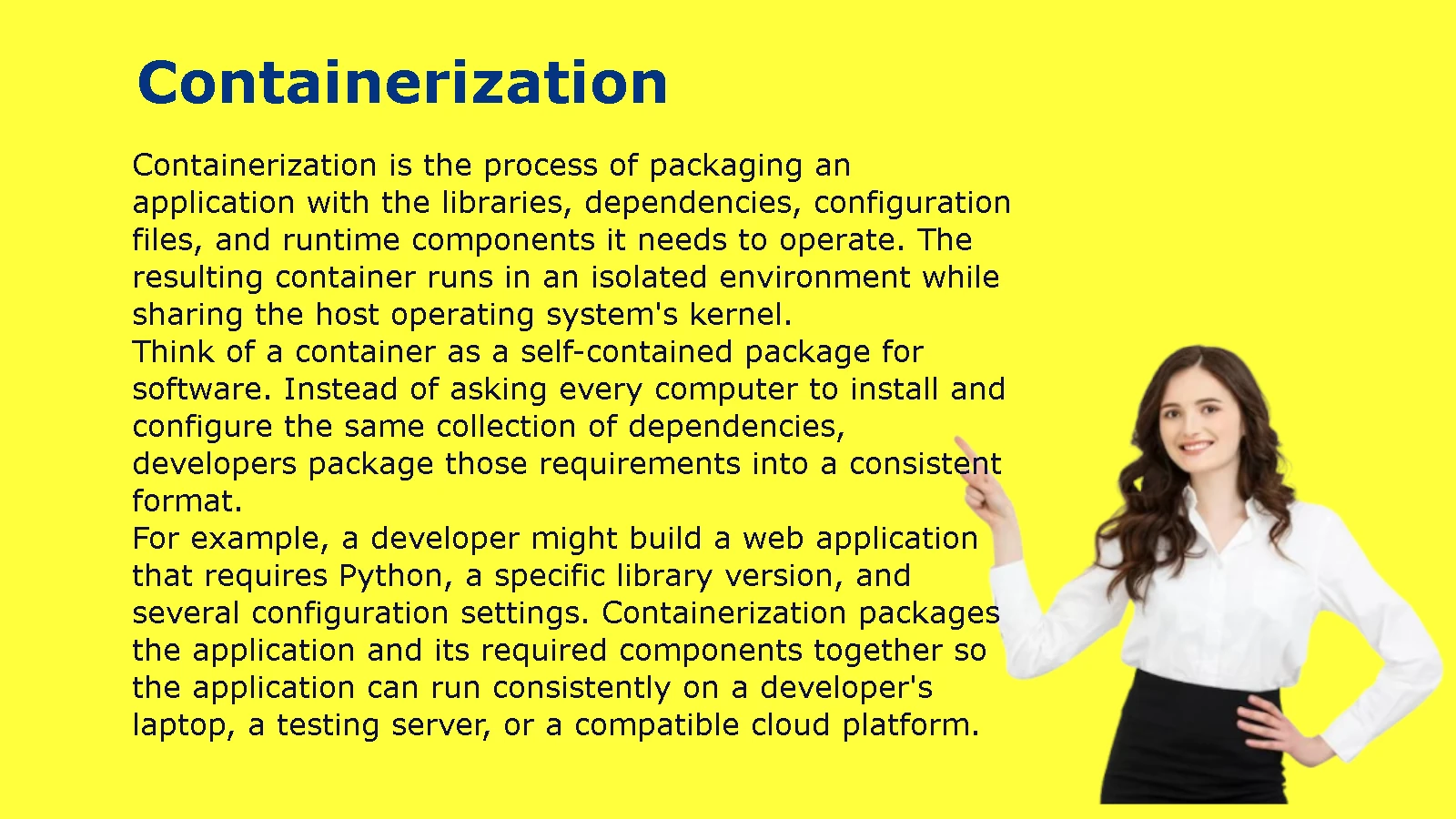
Containerization is the process of packaging an application with the libraries, dependencies, configuration files, and runtime components it needs to operate. The resulting container runs in an isolated environment while sharing the host operating system’s kernel.
Think of a container as a self-contained package for software. Instead of asking every computer to install and configure the same collection of dependencies, developers package those requirements into a consistent format.
For example, a developer might build a web application that requires Python, a specific library version, and several configuration settings. Containerization packages the application and its required components together so the application can run consistently on a developer’s laptop, a testing server, or a compatible cloud platform.
Containerization Meaning in Computing
In computing, containerization means isolating an application and its dependencies within a lightweight execution environment. This approach reduces differences between development, testing, and production systems.
Consider a company that runs three applications:
- An online store built with Node.js.
- A reporting service built with Python.
- A payment service that requires a different set of libraries.
Installing every dependency directly on one server can create conflicts. One application might require a library version that breaks another application.
Containerization helps solve this problem by separating the applications into individual containers. Each container can include its own application files and dependencies, even when other containers use different versions of the same libraries.
The operating system kernel remains shared, but the applications receive separate execution environments.
Common characteristics of software containerization include:
- Portability: Containers can run on compatible systems that support their requirements.
- Isolation: Applications operate in separate environments with controlled access to system resources.
- Consistency: Developers can use the same container image throughout development, testing, and deployment.
- Efficiency: Containers generally require fewer resources than virtual machines because they do not each need a separate guest operating system.
- Scalability: Teams can launch additional container instances when demand increases.
Containerization does not guarantee that every application will run identically everywhere. CPU architecture, kernel features, permissions, networking, external services, and configuration can still affect behavior.
What Is a Container in Software Development?
A software container is a running instance of a container image. The image provides the application’s packaged files and dependencies, while the container provides the active execution environment.
Developers commonly work with four related concepts:
| Concept | Meaning | Example |
| Container image | A packaged template used to create containers | An image containing a Python application |
| Container | A running or stopped instance created from an image | A Python API running in a container |
| Container runtime | Software that starts and manages containers | containerd or CRI-O |
| Container registry | A service that stores and distributes images | Docker Hub or a private company registry |
A container image is usually immutable after creation. If developers need to change the application, they typically build a new image and deploy it instead of manually editing the original image.
This practice makes releases easier to reproduce and roll back.
For example, an online store might use an image tagged store-api:2.1 for its current release. If developers release version 2.2 and discover a serious bug, they can redeploy the earlier image if the infrastructure and release procedures support that rollback.
Production systems should use controlled image versions or immutable image digests rather than relying blindly on a moving tag such as latest.
Containerization vs. Containerisation: Which Spelling Is Correct?
Both containerization and containerisation are correct spellings. The difference comes from regional English conventions.
American English typically uses containerization, while British English commonly uses containerisation. Both words describe the same process when used in software development.
| Term | Preferred usage | Example |
| Containerization | American English | The team uses containerization to deploy its API. |
| Containerisation | British English | The company adopted containerisation for its cloud applications. |
| Containerized | American English | The team deployed a containerized service. |
| Containerised | British English | The team deployed a containerised service. |
Choose one spelling convention and apply it consistently throughout an article, technical document, or website.
For an American audience, use containerization in the title, headings, and main text. For a British audience, use containerisation where appropriate. You can still explain both forms when targeting spelling-related searches.
Containerization Pronunciation and Word Usage
The word containerization combines container with the suffix -ization, which describes a process or method. Its pronunciation follows the familiar pattern of other words ending in -ization.
Use the term when discussing the process of adopting containers, rather than when referring to a single container.
Examples:
- Correct: Containerization helps developers deploy applications consistently.
- Correct: The company adopted containerization to simplify software releases.
- Correct: The engineering team containerized its existing web application.
- Less precise: The containerization is running on the server.
In the final example, container or containerized application would usually be more accurate because containerization names the broader process, not an individual running instance.
The word also appears in shipping and geography. Context determines whether it refers to software packaging or the movement of physical goods in standardized containers.
How Does Containerization Work?
Containerization works by packaging an application into an image and using a container runtime to launch an isolated instance of that image. The container runs on a host operating system and uses kernel features to separate processes, control resource access, and manage filesystem and network visibility.
The basic process includes building an image, storing or distributing it, starting a container, and monitoring the application as it runs.
How Container Images and Containers Work
A container image contains the files needed to start an application. Developers often create images from a Dockerfile or another image-building configuration.
A simplified Dockerfile for a Python web application might look like this:
FROM python:3.12-slim
WORKDIR /app
COPY requirements.txt .
RUN pip install –no-cache-dir -r requirements.txt
COPY . .
CMD [“python”, “app.py”]
This example starts with a Python base image, creates an application directory, installs dependencies, copies application files, and specifies the command that runs the program.
The file alone does not create a running container. A developer must build the image and then start a container from it.
For example:
docker build -t example-app .
docker run –rm -p 8000:8000 example-app
The first command builds an image called example-app. The second starts a container and maps port 8000 on the host to port 8000 inside the container.
The application must actually listen on the appropriate interface and port for the mapping to work. The example also assumes that app.py starts a server that uses port 8000.
Container images commonly use layers. If developers change only a small part of an application, the image-building process may reuse unchanged layers. This can reduce build time and network transfers, although the actual savings depend on the build configuration and cache.
The Role of the Host Operating System and Container Runtime
Every container runs on a host, which may be a physical server, a virtual machine, or a cloud instance.
The host operating system provides the kernel. Containers use that kernel while relying on isolation features to keep their processes and resources separate.
Several technologies support this process:
- Namespaces separate views of resources such as processes, network interfaces, and mount points.
- Control groups (cgroups) help limit and monitor resource consumption, including CPU and memory.
- Linux capabilities and security controls restrict what containerized processes can do.
- Container runtimes create and manage container execution environments.
- Networking components connect containers to other services and control how traffic reaches them.
These mechanisms work together. A container is not simply a compressed file or a miniature virtual machine.
The runtime and surrounding infrastructure determine how images become active processes, how storage is attached, how networks are configured, and how containers stop or restart.
On a Linux host, containers normally share the host kernel. On macOS and Windows, many container development environments run Linux containers inside a lightweight Linux virtual machine because the host operating system does not provide a Linux kernel directly.
Step-by-Step Example of Running a Containerized Application
Imagine that a small company wants to deploy a customer support application. Its developers use Python, a web framework, and several third-party libraries.
The team can follow this workflow:
Step 1: Prepare the application.
Developers write the code, define dependencies, and create the necessary configuration files.
Step 2: Build the container image.
They use a Dockerfile or another supported build process to package the application and its required components.
Step 3: Test the image.
The team starts a container on a development computer and checks whether the application works as expected.
Step 4: Store the image.
The team pushes the image to a container registry so authorized systems can retrieve it.
Step 5: Deploy the application.
A server or orchestration platform downloads the image and starts one or more containers.
Step 6: Monitor the service.
The team checks application logs, CPU usage, memory consumption, error rates, and availability.
Step 7: Update the release.
Developers build a new image after changing the code. The deployment process replaces or updates the running instances.
This workflow separates application packaging from the details of the deployment environment. However, teams must still manage secrets, databases, network rules, persistent storage, and external services separately.
Containers, Images, Registries, and Orchestration Explained
These four concepts serve different purposes within a containerization workflow.
| Component | Primary purpose | Practical example |
| Image | Packages the application | A versioned image of a customer support API |
| Container | Runs the application | An active API process serving requests |
| Registry | Stores and distributes images | A private registry used by the engineering team |
| Orchestrator | Coordinates containers across infrastructure | Kubernetes managing replicas across multiple nodes |
A developer might run one container locally with Docker. A larger organization may use Kubernetes to manage hundreds of containers across several servers.
Orchestration becomes valuable when applications need automated scheduling, service discovery, health checks, scaling, and controlled updates.
It also adds complexity. Teams must configure permissions, networking, resource limits, monitoring, and deployment policies correctly.
Containerization vs. Virtualization: What’s the Difference?
Containerization and virtualization both help organizations run workloads in isolated environments, but they use different approaches. Containers generally share a host operating system kernel, while traditional virtual machines run separate guest operating systems on virtualized hardware. This difference affects startup time, resource consumption, compatibility, and isolation.
The right approach depends on the application’s requirements, security boundaries, operating systems, and infrastructure.
Containerization vs. Virtualization Architecture
Traditional virtualization uses a hypervisor to provide virtual hardware to virtual machines. Each VM runs its own guest operating system and applications.
For example, a physical server might host three virtual machines:
- A Linux VM running a web application.
- A Windows VM running a business application.
- Another Linux VM running a database.
Each VM has its own guest operating system. This separation allows workloads to use different operating systems on the same physical server, provided the virtualization platform supports them.
Containerization takes another approach. Several containers can run on the same host kernel while keeping application processes and resources isolated.
A simplified comparison looks like this:
Traditional virtualization
Physical server
└── Hypervisor
├── VM 1: Guest OS + Application
├── VM 2: Guest OS + Application
└── VM 3: Guest OS + Application
Containerization
Physical server or virtual machine
└── Host operating system kernel
└── Container runtime
├── Container 1: Application + Dependencies
├── Container 2: Application + Dependencies
└── Container 3: Application + Dependencies
The second diagram is simplified. In real deployments, container runtimes, orchestration agents, storage drivers, and other system services also consume resources.
Containers can also run inside virtual machines. In that arrangement, virtualization provides the underlying infrastructure, while containerization manages application deployment within each VM.
Container vs. VM: Key Differences
A container vs. VM comparison highlights the practical differences between the two technologies.
| Feature | Containers | Virtual machines |
| Operating system | Usually shares the host kernel | Each VM runs a guest operating system |
| Startup | Often starts in seconds or less | Often takes longer because the guest OS must boot |
| Resource use | Usually lower for comparable application workloads | Usually higher because each VM needs OS resources |
| Isolation | Process and resource isolation using OS features | Hardware virtualization and a separate guest OS |
| Operating system flexibility | Generally requires a compatible kernel environment | Can support different guest operating systems |
| Portability | Portable across compatible container environments | Portable across compatible virtualization platforms |
| Common use cases | Microservices, web APIs, build jobs, application deployment | OS-level separation, legacy workloads, mixed operating systems |
| Management | Runtime, image, and orchestration tools | Hypervisors and VM management platforms |
Neither technology is automatically better for every workload.
Containers are useful when teams want lightweight application packaging and frequent deployment. Virtual machines are useful when workloads need separate guest operating systems or stronger boundaries between environments.
Performance, Resource Usage, and Startup Time
Containers usually have less overhead than full virtual machines because they do not each run a separate guest operating system.
For example, a service that starts as a container can often begin executing without booting a full OS. This helps deployment systems replace application instances quickly and makes it practical to run many lightweight services on a host.
However, containerization does not automatically make an application faster.
Application performance still depends on code quality, CPU and memory requirements, disk operations, networking, and configuration. A poorly optimized application can remain slow inside a container.
Virtual machines also offer strong performance for many workloads. Modern hypervisors can run applications with relatively low overhead, especially when administrators allocate resources carefully.
Measure actual performance instead of assuming that containers always win. Useful metrics include:
- Startup time.
- Requests handled per second.
- Response latency.
- CPU utilization.
- Memory consumption.
- Storage throughput.
- Network throughput.
A representative load test gives a more useful answer than a general statement about which technology is faster.
Security and Isolation: Containers vs. Virtual Machines
Containers provide isolation, but they do not all have the same security properties. Traditional containers commonly share the host kernel, so a kernel vulnerability or an incorrectly configured container can create risks beyond the individual application.
Virtual machines add a separate guest operating system boundary. That separation can be useful for workloads that require stronger isolation, although VM security still depends on the hypervisor, guest configuration, access controls, and patching.
Organizations can strengthen container security by following practices such as:
- Run applications as non-root users where possible.
- Use minimal, maintained base images.
- Scan images for known vulnerabilities.
- Apply resource limits and appropriate security policies.
- Restrict container capabilities and privileged access.
- Keep hosts, runtimes, and orchestration components updated.
- Store credentials in a secrets-management system rather than hardcoding them into images.
- Avoid mounting sensitive host directories unless necessary.
For workloads with demanding isolation requirements, teams can consider virtual machines, hardened container runtimes, sandboxed containers, or combinations of these approaches.
Security decisions should reflect the threat model, not just resource efficiency.
When Should You Choose Containers or VMs?
Choose containerization when your main goal is to package applications consistently and deploy them efficiently.
Containers often fit these situations:
- A development team deploys a web API several times a day.
- A company operates microservices that scale independently.
- A CI/CD pipeline needs repeatable build and test environments.
- A cloud application runs multiple instances of the same service.
Virtual machines often fit these situations:
- A business needs to run Windows and Linux workloads on the same physical infrastructure.
- A legacy application requires a specific guest operating system.
- Administrators want separate OS environments for different workloads.
- A workload needs a virtualization-based isolation boundary.
Many businesses use both technologies. They create VMs to provide infrastructure boundaries and then run containers inside those VMs to manage application workloads.
What Are the Main Benefits of Containerization?
The main benefits of containerization include portability, consistent deployments, efficient resource use, faster releases, and easier application scaling. By packaging application dependencies into images, teams reduce environment-related surprises and make software delivery more repeatable. These benefits are strongest when teams combine containerization with sound testing, security, and operational practices.
Application Portability Across Environments
Portability is one of the most useful advantages of containerization.
Without containers, developers may install software directly on a machine and rely on undocumented system settings. Another machine may have a different library version or configuration, causing the application to behave differently.
A container image packages many of the application’s dependencies, making deployment more consistent across compatible systems.
For example, a team can build a web API on a laptop, test the same image in a staging environment, and deploy it to a cloud server.
The application still depends on compatible CPU architecture, kernel functionality, environment variables, secrets, and external services. Containerization reduces environmental differences but does not remove every dependency.
Faster Deployment and Consistent Development Environments
Container images make it easier to standardize how applications start.
Instead of asking each developer to install every dependency manually, a team can provide a container configuration that defines the expected environment.
This approach can reduce onboarding time and eliminate recurring setup problems.
A practical example is a development team that uses PostgreSQL for testing. Developers can run a database container with a defined version instead of installing different versions directly on their computers.
Teams should avoid treating development containers as automatically production-ready. Production deployments require appropriate backups, access controls, monitoring, storage, and upgrade procedures.
Efficient Resource Usage and Scalability
Because containers typically share the host kernel, they often require fewer resources than separate VMs running comparable applications.
This can help organizations deploy multiple services on the same server and allocate resources according to demand.
For example, an online store might increase the number of application containers during a major sale and reduce the number after traffic returns to normal.
However, containers still consume CPU, memory, storage, and network capacity. Running too many containers without limits can exhaust a host’s resources.
Teams should configure resource requests and limits where supported, monitor workload behavior, and test scaling policies under realistic traffic conditions.
Microservices, DevOps, and Continuous Deployment
Containerization works well with microservices architecture, where an application consists of smaller services that communicate through defined interfaces.
An e-commerce platform might separate its functionality into:
- Product catalog.
- Customer accounts.
- Shopping cart.
- Payment processing.
- Order management.
- Notifications.
Each service can use a separate image and release schedule. A change to the notification service does not necessarily require rebuilding every other service.
Containers also support DevOps and continuous integration and continuous deployment (CI/CD). Automated pipelines can build images, run tests, scan for vulnerabilities, and deploy approved releases.
This creates a repeatable path from source code to production.
However, microservices introduce operational costs. Teams must manage service communication, distributed logging, monitoring, authentication, and failure handling. A modular application running as a single service may be simpler to maintain than a large collection of unnecessary microservices.
What Are the Limitations of Containerization?
Containerization introduces its own challenges, including security configuration, persistent storage, networking, monitoring, and operational complexity. Containers simplify application packaging, but they do not eliminate infrastructure management. Teams should evaluate these trade-offs before moving an application into containers.
Security Risks and Shared-Kernel Vulnerabilities
The shared-kernel model creates a different security profile from traditional virtualization.
If a container runs with excessive privileges, it may gain access to resources that the application does not need. A vulnerable host kernel or misconfigured runtime can also increase risk.
Organizations should build security into the container lifecycle.
A practical checklist includes:
- Use trusted, minimal base images.
- Remove unnecessary packages and tools.
- Scan images before deployment.
- Apply patches regularly.
- Avoid privileged containers unless the workload genuinely requires them.
- Limit network access and filesystem permissions.
- Use separate identities and credentials for services.
- Monitor runtime activity for unexpected behavior.
Image scanning is useful, but it cannot identify every possible problem. Teams also need secure application code, configuration reviews, access controls, and runtime monitoring.
Persistent Storage and Data Management Challenges
Containers are often designed to be replaceable. When a container is deleted, data stored only in its writable layer may disappear with it.
That behavior is convenient for stateless applications but dangerous for databases and other stateful services.
For example, an online store should not depend on a temporary application container to preserve customer orders. The database must store that information in a durable system.
Common storage approaches include:
- Volumes: Managed storage attached to containers.
- Bind mounts: Host directories or files made available inside containers.
- Network storage: Shared storage provided by infrastructure services.
- Managed databases: External database services that handle much of the underlying operations.
Teams must plan for backups, restore testing, access permissions, capacity, replication, and data retention.
A containerized database still needs database administration. Packaging it into an image does not replace proper storage management.
Networking, Monitoring, and Troubleshooting Complexity
Containers introduce networking and observability requirements that can become difficult as the environment grows.
A single application container is relatively straightforward to troubleshoot. A distributed application with dozens of services may involve requests passing through several containers, load balancers, databases, and external APIs.
When a request fails, engineers need enough information to trace the problem across those components.
Useful practices include:
- Centralized application logs.
- Metrics for CPU, memory, request latency, and error rates.
- Distributed tracing for requests that cross multiple services.
- Health checks and readiness checks.
- Alerts tied to user-facing service objectives.
- Clear network and service-discovery configurations.
Container orchestration platforms can automate some tasks, but they also require training and operational support.
When Containerization May Not Be the Best Choice
Containerization is not necessary for every application.
A small internal tool that runs reliably on one server may not benefit enough from container orchestration to justify the added complexity.
Other workloads may need specialized hardware access, unusual kernel features, or an operating system environment that does not fit the team’s container platform.
Before migrating, ask:
- Does the application have conflicting dependencies?
- Do developers need repeatable environments?
- Is frequent deployment important?
- Will the application need independent scaling?
- Can the team support image management and runtime security?
- Does the application require persistent state or specialized hardware?
If the answers point to a clear operational benefit, containerization may be worthwhile. Otherwise, a conventional deployment or a VM may meet the requirements with less complexity.
What Are the Most Popular Containerization Tools?
Containerization tools help developers build images, run containers, store packages, and manage applications across infrastructure. Docker supports common development workflows, Kubernetes coordinates containerized workloads, and runtimes such as containerd and CRI-O handle container execution. Podman offers another approach to building and managing containers.
The tools serve different roles. They should not all be treated as direct competitors.
Docker for Building and Running Containers
Docker is a widely used containerization platform that helps developers build, distribute, and run container images.
Its common components and workflows include:
- Dockerfiles for defining image builds.
- Docker Engine for building and running containers in supported environments.
- Docker CLI for issuing commands.
- Docker Compose for defining and managing multi-container applications.
- Docker Hub and other registries for storing images.
For example, a developer can create a Docker image for a web application and use Docker Compose to start the application alongside a database during local development.
Docker makes it easier to standardize development environments. Production systems may use Docker-built images with other runtimes and orchestration platforms.
Kubernetes for Container Orchestration
Kubernetes is an open-source platform for managing containerized applications across clusters of machines.
It helps teams automate tasks such as:
- Scheduling workloads onto available nodes.
- Maintaining the desired number of application replicas.
- Restarting failed containers.
- Discovering services and routing traffic.
- Managing configuration and secrets.
- Performing controlled application updates.
For example, an API may run three replicas across several nodes. If a container fails, Kubernetes can attempt to restore the desired state.
Kubernetes does not replace every container tool. It works with container runtimes and other infrastructure components to manage workloads.
It also adds complexity. Small applications may not need Kubernetes, while larger environments can benefit from its scheduling, resilience, and deployment features.
containerd and CRI-O for Container Runtime Management
containerd is a container runtime that manages core container lifecycle operations, including image handling and container execution. It is used in a variety of container platforms.
CRI-O is a container runtime designed specifically to work with Kubernetes through the Container Runtime Interface (CRI).
Both support container execution, but their roles and integration choices differ.
A Kubernetes administrator may encounter these runtimes while configuring cluster nodes. An application developer may rarely interact with them directly when using higher-level tools.
Choosing a runtime depends on the environment, supported integrations, operational requirements, and the team’s existing infrastructure.
Podman as an Alternative Container Engine
Podman is a tool for building and running containers. It supports workflows that are familiar to Docker users and can operate without a central daemon in common configurations.
Podman is often considered when teams want rootless container workflows or tighter integration with certain Linux environments.
Its useful features include:
- Building and running container images.
- Managing individual containers and pods.
- Supporting rootless operation where configured.
- Working with common image formats and registries.
Docker and Podman overlap in many tasks, but their architectures and some commands or integration details differ. Teams should test the workflows they rely on before switching tools.
Container Registries and Image Management
A container registry stores container images and makes them available to developers, servers, and deployment systems.
Common options include public registries and private registries operated by organizations or cloud providers.
A sound image-management process should include:
- Versioned image tags.
- Access controls for private images.
- Vulnerability scanning.
- Image retention policies.
- Automated cleanup of obsolete artifacts.
- Provenance and signing controls where appropriate.
- Reliable access for build and deployment systems.
Avoid embedding passwords, API keys, or private credentials inside images. Anyone with access to an image may be able to inspect its contents.
How to Choose the Right Containerization Tools
The right containerization tools depend on the size of your application, deployment environment, and operational requirements.
| Need | Suitable starting point | Why it fits |
| Learn containers locally | Docker or Podman | Makes it easy to build and run test containers |
| Run a small multi-service development stack | Docker Compose or a comparable workflow | Coordinates services and local configuration |
| Manage workloads across a cluster | Kubernetes | Automates scheduling, scaling, and recovery |
| Run container workloads on Kubernetes | containerd or CRI-O | Provides container runtime functionality |
| Store and distribute images | A suitable public or private registry | Centralizes image storage and access |
A beginner can start by building and running one container. There is no need to learn Kubernetes before understanding images, ports, logs, environment variables, and persistent storage.
What Are Some Examples of Containerized Applications?
Containerized applications include web servers, APIs, background workers, testing environments, and microservices. Teams use containers to package these applications with their dependencies, deploy consistent versions, and scale individual services when demand changes.
The following examples show how containerization fits common software workflows.
Containerized Web Applications and APIs
A web application often contains a frontend, a backend API, and a database.
Developers can package the frontend server and backend API into separate images. The deployment environment then starts the necessary containers and connects them through a network.
For example, a booking platform might use:
- A frontend container to serve the website.
- An API container to process searches and reservations.
- A background worker to send booking notifications.
- A managed database to store reservations.
The architecture lets teams update the API without necessarily rebuilding the frontend. The database can remain a separate service with its own backup and access-control strategy.
Databases and Background Processing Services
Databases, caches, and background workers can run in containers when the team handles storage, availability, and recovery correctly.
A background worker might process tasks such as:
- Generating invoices.
- Sending email notifications.
- Resizing uploaded images.
- Producing analytics reports.
- Processing order events.
The worker can run independently of the public web application. If the queue grows, the team can add worker instances without increasing the number of web servers.
Databases require more care because their state must survive container replacement. Many businesses use managed database services rather than operating every database inside their container environment.
Microservices and E-Commerce Platforms
An e-commerce platform can use containers to separate product search, shopping carts, checkout, inventory, and notifications.
Each service can have its own image and release process. The inventory service may need different resources from the notification service, so independent scaling can improve resource allocation.
However, splitting an application into many services creates network dependencies. If checkout requires responses from several unavailable services, a purchase may fail even when the checkout container itself is healthy.
Teams should design service boundaries carefully and use appropriate timeouts, retries, monitoring, and failure-handling strategies.
CI/CD Pipelines and Automated Testing
Containerization also improves software testing.
A CI/CD pipeline can start a known environment, install or retrieve dependencies, run automated tests, and discard the temporary environment after completion.
For example, a team may test a Python application against a specific database version using a temporary database container. Every build can use the same declared versions instead of relying on whichever software happens to be installed on the build server.
This makes failures easier to reproduce and reduces differences between developers’ machines and automated systems.
Container-based tests still need good test data, reliable assertions, and clear cleanup procedures. Containers cannot make an incomplete test suite effective on their own.
A Practical Example: Deploying a Web App with a Database
Imagine that a small online retailer wants to deploy a product catalog application.
The team can use a web application container and a database service. A simplified development setup might define two services in a Compose file:
services:
web:
build: .
ports:
– “8000:8000”
environment:
DATABASE_URL: postgresql://app:example@db:5432/catalog
depends_on:
– db
db:
image: postgres:16
environment:
POSTGRES_DB: catalog
POSTGRES_USER: app
POSTGRES_PASSWORD: example
This example illustrates how Compose can define multiple services and their configuration. It is intended for demonstration, not direct production deployment.
The password is a placeholder and should not be used as a real credential. A production deployment also needs persistent database storage, secret management, appropriate network restrictions, readiness checks, backup procedures, and database initialization logic.
The depends_on setting does not necessarily mean the database is ready to accept connections when the web application starts. The application should handle connection retries or use an appropriate readiness mechanism.
Practical lesson: Containerization simplifies how the team packages and starts the application, but it does not remove the need to design a reliable database environment.
What Is Containerization in Shipping?
Containerization in shipping is the use of standardized containers to transport goods between ships, trains, and trucks. Instead of handling individual items at every transfer point, logistics companies move goods in durable containers designed for efficient loading, unloading, and intermodal transport.
This meaning predates modern software containerization and remains central to global freight logistics.
How Containerization Works in Freight Transport
Shipping containerization places goods inside standardized cargo containers that can move through several transportation systems.
A typical shipment follows this process:
- A shipper packs goods into a container.
- A truck or train transports the container to a port or terminal.
- Port equipment loads the container onto a ship.
- The ship carries it to another port.
- Terminal equipment unloads it for onward road or rail transport.
- The container reaches its destination, where the cargo is unloaded.
Because the container remains intact during most transfers, workers do not need to handle every package separately each time the transport method changes.
This can reduce cargo handling, improve scheduling, and lower the risk of some forms of damage or theft.
However, the container does not eliminate inspections, customs procedures, documentation, or cargo-specific handling requirements.
Standard Shipping Containers and Intermodal Transportation
Modern freight systems use standardized container dimensions and handling equipment to move cargo between transport modes.
Two widely used container lengths are 20 feet and 40 feet. The twenty-foot equivalent unit (TEU) provides a common measure of container capacity in maritime shipping.
A standard 20-foot container represents one TEU, while a standard 40-foot container generally represents two TEU.
Container capacity depends on more than length. Width, height, internal dimensions, maximum gross weight, payload limits, and cargo characteristics all matter.
Different container types support different needs:
- Dry containers: General packaged goods.
- Refrigerated containers: Temperature-sensitive cargo.
- Open-top containers: Cargo that requires loading from above.
- Flat racks: Certain oversized or irregularly shaped goods.
- Tank containers: Liquids and some specialized bulk products.
Intermodal transport allows a container to move between ships, trains, and trucks without transferring the cargo into a different container at each stage.
Benefits of Containerization in Global Trade
Shipping containerization changed the economics and organization of freight transport.
Its main benefits include:
- Faster cargo handling: Standardized containers work with specialized cranes and terminal equipment.
- Lower handling costs: Workers move containers rather than handling every item separately at each transfer.
- Improved cargo protection: Enclosed containers help protect goods from weather and some handling risks.
- Intermodal compatibility: Containers can travel across different transport modes.
- More predictable logistics: Standardized units simplify loading plans and freight operations.
These advantages helped businesses coordinate international supply chains and move large volumes of manufactured goods.
Containerization also requires substantial investment in ports, cranes, terminals, container ships, rail connections, and road infrastructure. Its benefits depend on suitable facilities and efficient coordination across the supply chain.
How Containerization Changed Ports, Shipping Costs, and Logistics
Containerization reshaped port operations by shifting work away from traditional break-bulk cargo handling toward specialized terminals.
Ports increasingly required container cranes, large storage yards, truck access, rail links, and systems for tracking container movements.
This shift affected where ports developed and how they competed for shipping services. Locations with suitable deep-water access, terminal capacity, and inland connections could support large container operations more effectively.
The change also influenced logistics planning. Companies could organize shipments around standardized units, schedule transfers across transport modes, and connect distant suppliers to manufacturing and retail networks.
However, containerization did not eliminate supply-chain costs. Fuel, labor, terminal charges, customs, equipment availability, congestion, and empty-container repositioning still affect freight prices.
Containerization in Shipping vs. Software: Key Differences
The two uses of containerization share the idea of packaging something into a standardized unit, but they solve different problems.
| Feature | Shipping containerization | Software containerization |
| What is packaged? | Physical goods | Applications and dependencies |
| Main purpose | Transport cargo efficiently | Run applications consistently |
| Container form | Physical metal cargo container | Isolated software execution environment |
| Infrastructure | Ships, ports, trucks, trains, terminals | Hosts, operating systems, runtimes, cloud platforms |
| Standardization | Container dimensions and handling systems | Image formats, runtime interfaces, and deployment conventions |
| Key benefits | Efficient freight handling and intermodal transport | Portability, repeatability, and deployment efficiency |
The shared term makes sense because both approaches standardize a package so it can move through a larger system with less repeated handling or reconfiguration.
What Is Containerisation in Geography?
Containerisation in geography refers primarily to the effects of standardized freight containers on the spatial organization of transport, ports, trade, and economic activity. It helps explain why some ports expanded into major logistics hubs, how shipping networks changed, and why industries often locate near efficient transport connections.
In geography, the term concerns the movement of goods and its effects on places, rather than software applications.
Containerisation as a Geographical and Economic Process
Geographers study containerisation as part of the wider transformation of transport and global trade.
Standardized containers changed how goods move between factories, distribution centers, ports, and markets. This made it easier for firms to coordinate long-distance supply chains, provided the necessary infrastructure existed.
The process affects several geographical factors:
- Location: Businesses consider access to container ports, rail terminals, highways, and distribution centers.
- Connectivity: Transport links connect production regions with national and international markets.
- Scale: Large ports and logistics centers can serve extensive inland regions.
- Land use: Container terminals require substantial space for storage, cranes, and vehicle movement.
- Economic development: Improved freight connections can attract logistics, manufacturing, and distribution activities.
Containerisation does not produce the same outcome everywhere. A port’s location, infrastructure, trade volume, labor conditions, and connections to inland markets influence its role.
How Containerisation Changed Ports and Global Trade Routes
Containerisation encouraged the development of specialized ports capable of handling large container ships and moving containers quickly through terminals.
Ports with deeper channels, suitable berths, modern cranes, and strong inland connections can attract services that smaller or less-connected ports may struggle to support.
Shipping lines organize their networks around trade demand, vessel capacity, port facilities, and operational efficiency. As a result, some ports serve as major hubs while others specialize in regional distribution or particular cargo types.
Containers also support transshipment, where cargo moves from one ship to another at an intermediate port before reaching its destination.
This network structure can connect smaller markets to global shipping systems. However, dependence on major hubs can also expose supply chains to congestion, disruption, and changes in shipping routes.
The Effects of Containerisation on Port Cities and Industrial Locations
Container terminals can transform urban and regional economies.
Modern container facilities may support employment in terminal operations, trucking, rail freight, warehousing, customs services, equipment maintenance, and distribution.
At the same time, container terminals can create land-use pressures. They need large areas for stacking containers and moving trucks, and their operations can increase local traffic and noise.
Port cities may also experience changes in where freight activity occurs. Some older urban docks have lost traditional cargo-handling functions, while newer terminals have developed where larger ships and modern equipment can be accommodated.
The effects vary by location. A port’s economic benefits depend on how well it connects to local businesses and inland transport networks, while its environmental and social effects depend on terminal design, traffic management, emissions controls, and surrounding land uses.
Containerisation, Globalisation, and the Changing Geography of Trade
Containerisation helped make complex international supply chains more practical by standardizing cargo handling across transport modes.
Manufacturers can source components from different regions, assemble products in another country, and distribute finished goods to markets around the world. Container shipping is one part of this system, alongside air freight, rail transport, road networks, warehouses, and digital logistics platforms.
For example, a company might source electronic components from several countries, assemble a product at a manufacturing site, and ship finished units to regional distribution centers.
The geographical outcome depends on transport costs, labor, tariffs, market access, supplier networks, and business strategy. Containerisation facilitates trade, but it does not independently determine where industries locate or guarantee economic growth.
Containerization vs. Containerisation: Spelling, Pronunciation, and Usage
Containerization and containerisation have the same meaning in software and logistics contexts. American English generally favors the spelling with z, while British English commonly uses s. Selecting the correct version depends on the audience, publication style, and regional spelling conventions.
Containerization in American English
American English typically uses containerization.
Examples include:
- Containerization helps developers deploy applications more consistently.
- The company adopted containerization to improve its software delivery process.
- Containerized applications can run across compatible development and production environments.
For an American-focused article, use the American spelling in the H1, metadata, and main headings.
Containerisation in British English
British English commonly uses containerisation.
Examples include:
- Containerisation allows software teams to package applications with their dependencies.
- The business introduced containerisation to improve deployment consistency.
- Containerised services support the company’s cloud infrastructure.
The British spelling also appears in discussions of shipping and geography, where containerisation refers to standardized cargo transport and its economic effects.
Is Containerisation a Misspelling of Containerization?
No. Containerisation is not a misspelling of containerization. It is a recognized regional spelling variant.
The same pattern appears in many English words, including organisation/organization and modernisation/modernization.
Use the spelling that matches the audience. Avoid switching between forms without a clear reason, especially in headings and key on-page SEO elements.
How to Use Containerization in a Sentence
The term can describe a technology, a business practice, or a broader transport process.
Examples:
- Software: Containerization allows developers to package applications with their dependencies.
- Cloud computing: The team uses containerization to deploy services across several servers.
- DevOps: Containerization supports repeatable testing and deployment workflows.
- Shipping: Containerization transformed the handling of freight at major ports.
- Geography: Containerisation influenced port development and the location of logistics facilities.
The surrounding words usually make the intended meaning clear. When writing for readers who may encounter both definitions, specify software containerization or shipping containerization.
Related Terms: Container, Containerized, and Containerizing
Related terms have different grammatical roles.
| Word | Part of speech | Meaning | Example |
| Container | Noun | A unit that holds something | The container runs the API. |
| Containerization | Noun | The process or practice of using containers | Containerization simplifies application deployment. |
| Containerized | Adjective or past-tense verb form | Packaged or deployed using containers | The team launched a containerized service. |
| Containerizing | Verb form | The act of packaging an application into a container | The developers are containerizing the legacy application. |
| Containerisation | Noun, British spelling | The same process as containerization | Containerisation supports repeatable deployments. |
Use container when referring to an individual execution environment and containerization when discussing the broader method.
Frequently Asked Questions About Containerization
What Is Containerization in Simple Terms?
Containerization packages an application and its dependencies into a portable software image that can run as an isolated container. This helps developers run the application consistently across compatible environments without installing every dependency separately on each machine.
How Does Containerization Work?
Developers build a container image containing the application’s files and dependencies. A container runtime uses that image to start an isolated process on a host. The team can then test, distribute, deploy, monitor, and replace containers as needed.
What Is the Difference Between Containerization and Virtualization?
Containerization generally runs isolated applications that share a host operating system kernel. Traditional virtualization runs virtual machines with separate guest operating systems. Containers often use fewer resources, while VMs support more independent operating system environments.
Is Containerization the Same as Docker?
No. Docker is a containerization platform and toolset, while containerization is the broader practice of packaging and running applications in containers. Other tools, including Podman, containerd, and Kubernetes, support different parts of the container ecosystem.
What Is Containerization in Shipping?
Shipping containerization uses standardized physical containers to transport goods across ships, trains, and trucks. It reduces the need to handle individual packages at each transfer point and helps logistics companies coordinate international freight movements.
Is Containerization or Containerisation Correct?
Both are correct. Containerization is the usual American English spelling, while containerisation is common in British English. The choice changes the spelling, not the meaning.
Conclusion: Why Containerization Matters
Containerization makes software easier to package, test, distribute, and deploy across compatible environments. It supports modern application development by reducing dependency conflicts, improving deployment consistency, and allowing teams to scale individual services.
Tools such as Docker and Podman help developers build and run containers, while Kubernetes coordinates containerized applications across clusters. Containerization still requires careful security controls, persistent storage, monitoring, and resource management. Virtual machines remain useful when applications need separate guest operating systems or different isolation boundaries.
The term also has important meanings beyond computing. In shipping, containerization transformed cargo handling and intermodal transport. In geography, containerisation helps explain changes in port development, trade networks, and the location of logistics activity.
If you’re learning containerization, start by building a small application image, running it locally, and examining its logs and network configuration. Once you understand the basics, experiment with a multi-container application and explore orchestration when your project needs it.