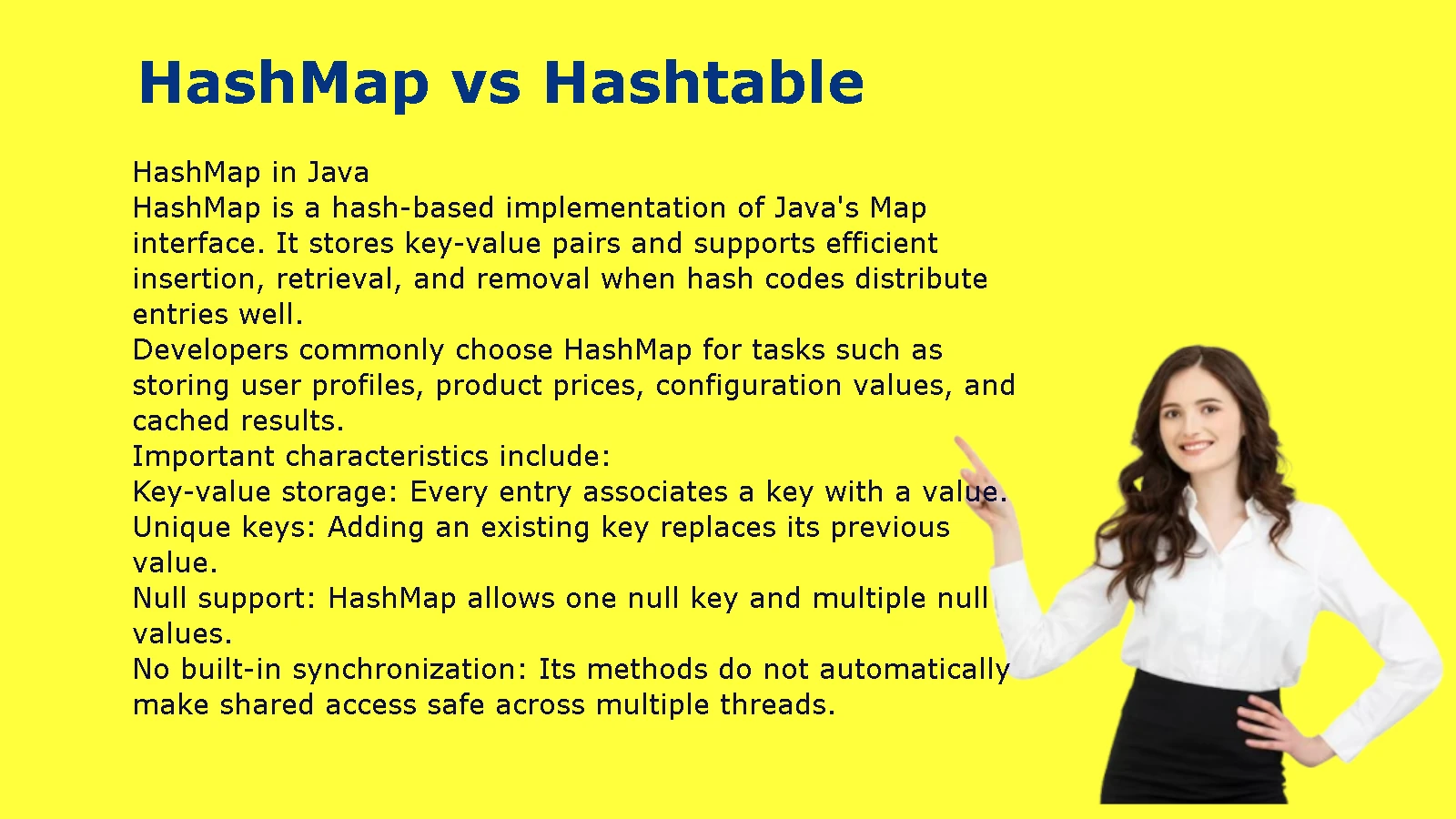
HashMap vs Hashtable is a common comparison in Java because both data structures store key-value pairs, but they differ in synchronization, null handling, performance, and practical use. Understanding these differences also helps you choose between HashMap, Hashtable, HashSet, and ConcurrentHashMap for different programming tasks.
These collections use hashing, a technique that helps programs locate data efficiently. However, each collection serves a different purpose. Java developers often use HashMap for general-purpose mappings, HashSet for unique elements, and ConcurrentHashMap when multiple threads need to access shared data. Python uses a built-in dictionary (dict) for hash-based mappings, while C++ provides std::unordered_map.
This guide explains HashMap vs Hashtable, compares HashMap vs HashSet and ConcurrentHashMap, and shows how these structures relate to dictionaries and hash tables in Python and C++. You’ll also find practical examples, comparison tables, and tips for choosing the right data structure.
HashMap vs Hashtable: What’s the Difference?
HashMap and Hashtable are Java classes that store data as key-value pairs using hashing. The main difference is that HashMap does not synchronize its methods, while Hashtable synchronizes its public methods. HashMap allows one null key and multiple null values; Hashtable prohibits both. For most new Java applications, HashMap is suitable for ordinary mappings, while ConcurrentHashMap is designed for concurrent access.
Both classes belong to Java’s java.util package and implement the Map interface. They let you associate a unique key with a value and retrieve that value without searching through every entry.
For example, an application might store student IDs and student names. The ID serves as the key, and the name serves as the value.
Map<Integer, String> students = new HashMap<>();
students.put(101, “Amelia”);
students.put(102, “Noah”);
System.out.println(students.get(101)); // Amelia
The same mapping can be represented with a Hashtable, but the two classes handle synchronization and null values differently.
HashMap in Java
HashMap is a hash-based implementation of Java’s Map interface. It stores key-value pairs and supports efficient insertion, retrieval, and removal when hash codes distribute entries well.
Developers commonly choose HashMap for tasks such as storing user profiles, product prices, configuration values, and cached results.
Important characteristics include:
- Key-value storage: Every entry associates a key with a value.
- Unique keys: Adding an existing key replaces its previous value.
- Null support: HashMap allows one null key and multiple null values.
- No built-in synchronization: Its methods do not automatically make shared access safe across multiple threads.
- No guaranteed iteration order: The order in which entries appear may change as the map changes.
- Efficient lookups: Basic operations usually take constant time, or O(1), when hashing distributes keys well.
Consider an application that stores product prices.
import java.util.HashMap;
import java.util.Map;
public class HashMapExample {
public static void main(String[] args) {
Map<String, Double> prices = new HashMap<>();
prices.put(“Laptop”, 899.99);
prices.put(“Keyboard”, 49.99);
prices.put(“Mouse”, 24.99);
System.out.println(prices.get(“Laptop”));
System.out.println(prices.containsKey(“Mouse”));
}
}
The map associates each product name with its price. The application can retrieve a price using the product name instead of searching through a list of products.
HashMap works well when you need flexible key-value storage and do not require built-in synchronization. If multiple threads modify the same HashMap without proper coordination, however, the application may experience race conditions or inconsistent results.
Hashtable in Java
Hashtable is an older Java implementation of the Map interface. It stores key-value pairs and synchronizes its public methods, which helps protect individual operations when multiple threads access the same instance.
Hashtable remains relevant when maintaining older Java applications, but developers generally choose other collections for new code.
Its main characteristics include:
- Key-value storage: Like HashMap, it maps unique keys to values.
- Synchronized public methods: Individual method calls use synchronization.
- No null keys or values: Attempts to insert null keys or values throw NullPointerException.
- No guaranteed iteration order: Its entries do not follow a reliable sorted or insertion order.
- Legacy status: Modern Java applications commonly use HashMap or ConcurrentHashMap instead.
Here is a simple example:
import java.util.Hashtable;
import java.util.Map;
public class HashtableExample {
public static void main(String[] args) {
Map<Integer, String> employees = new Hashtable<>();
employees.put(201, “Olivia”);
employees.put(202, “Liam”);
System.out.println(employees.get(201));
System.out.println(employees.containsKey(202));
}
}
This example works like the HashMap example for ordinary key-value operations. The difference becomes more important when the program uses null values or multiple threads.
For example, this operation fails:
Map<String, String> data = new Hashtable<>();
data.put(“username”, null); // Throws NullPointerException
Hashtable’s synchronization also does not make an entire sequence of separate operations atomic. If a program must perform several related operations as one indivisible action, it needs an appropriate synchronization strategy.
HashMap vs Hashtable: Key Differences Table
The following table summarizes the main differences between these Java collections.
| Feature | HashMap | Hashtable |
| Package | java.util | java.util |
| Interface | Map | Map |
| Data structure | Key-value pairs | Key-value pairs |
| Thread safety | Not synchronized by default | Public methods are synchronized |
| Null key | One allowed | Not allowed |
| Null values | Allowed | Not allowed |
| Iteration order | Not guaranteed | Not guaranteed |
| Performance | Often better without synchronization overhead | Synchronization can add overhead |
| Status | Commonly used in modern Java | Legacy collection |
| Concurrent alternative | ConcurrentHashMap or external synchronization | Often replaced by ConcurrentHashMap |
The most important distinction is not simply speed. It is the combination of thread safety, null handling, and the type of access your application requires.
Which Is Faster: HashMap or Hashtable?
HashMap often performs better than Hashtable in single-threaded code because it does not synchronize every public method. However, the actual difference depends on the workload, Java version, key distribution, and runtime environment. A benchmark that ignores these factors may produce misleading results.
Hashtable’s synchronization can introduce overhead, especially when many operations compete for the same instance. HashMap avoids that particular cost when the application accesses it from one thread or coordinates access externally.
Several factors influence performance:
- Number of entries: Larger collections may require more memory and processing.
- Hash distribution: Poorly distributed hash codes can increase collisions.
- Concurrency: Multiple threads may compete for synchronized methods.
- Operation type: Insertion, lookup, removal, and iteration have different costs.
- Resizing: Both collections may resize their internal tables as entries increase.
For example, a small application that stores settings for one running task may benefit from HashMap’s straightforward behavior. A shared cache accessed by many threads needs a different evaluation because thread safety and contention matter as much as the cost of individual lookups.
Do not assume that Hashtable is the fastest choice simply because it supports synchronized methods. Synchronization provides coordination, not a universal performance advantage.
HashMap vs HashSet: What’s the Difference?
HashMap stores key-value pairs, while HashSet stores unique elements. Use HashMap when you need to associate each key with information. Choose HashSet when you only need to track whether an item exists. In Java, HashSet uses a backing HashMap internally, but its public interface focuses on membership and uniqueness rather than key-value mappings.
Both collections use hashing to support efficient operations. Their different purposes determine how you should use them.
How HashMap Stores Key-Value Pairs
HashMap organizes data around keys. Each key identifies an associated value, which makes the collection useful when the program needs to retrieve information by an identifier.
For example, a school management application might store student IDs and names.
Map<Integer, String> students = new HashMap<>();
students.put(101, “Emma”);
students.put(102, “James”);
students.put(103, “Sophia”);
System.out.println(students.get(102)); // James
The map retrieves James’s name using student ID 102.
HashMap also replaces an existing value when you insert another value under the same key.
students.put(102, “William”);
System.out.println(students.get(102)); // William
The map still contains one entry for key 102. It does not preserve two separate entries with that same key.
This behavior makes HashMap useful for:
- Product IDs and prices
- User IDs and profile records
- Country codes and country names
- Configuration keys and values
- Word counts and other frequency mappings
How HashSet Stores Unique Elements
HashSet represents a collection of distinct elements. It does not associate each element with a separate value.
Suppose an application collects email addresses from registration forms. You can use HashSet to track which addresses have already appeared.
import java.util.HashSet;
import java.util.Set;
public class HashSetExample {
public static void main(String[] args) {
Set<String> emails = new HashSet<>();
emails.add(“alex@example.com”);
emails.add(“sam@example.com”);
emails.add(“alex@example.com”);
System.out.println(emails.size()); // 2
}
}
The repeated email does not create a second element because a set stores unique values according to its equality rules.
HashSet is useful for:
- Removing duplicate items
- Tracking visited URLs
- Checking whether a user has already participated
- Finding unique words in a document
- Maintaining a collection of unique identifiers
HashSet allows one null element. Like HashMap, it does not guarantee iteration order.
HashMap vs HashSet Comparison Table
| Feature | HashMap | HashSet |
| Main purpose | Store key-value pairs | Store unique elements |
| Java interface | Map | Set |
| Duplicate keys or elements | Keys must be unique | Duplicate elements are rejected |
| Duplicate values | Allowed | Not applicable as separate mapped values |
| Null support | One null key; null values allowed | One null element |
| Main lookup | Retrieve a value by key | Check whether an element exists |
| Typical example | Product ID to price | Unique product IDs |
| Built-in synchronization | No | No |
A HashMap answers, “What value belongs to this key?” A HashSet answers, “Is this element in the collection?”
When Should You Use HashMap Instead of HashSet?
Choose HashMap when your program needs to retrieve associated information. Use HashSet when the presence of an item matters more than any associated data.
For example, an inventory system might use a HashMap to connect product codes to stock quantities. It could use a HashSet to track the product codes included in a shipment without recording their quantities.
You can use both collections in the same application because they solve different problems.
HashMap vs Hashtable vs HashSet: Complete Comparison
HashMap, Hashtable, and HashSet share hash-based concepts, but they are not interchangeable. HashSet implements a set of unique elements. The first two differ in synchronization and null handling, while HashSet focuses on preventing duplicate elements.
Main Differences at a Glance
| Feature | HashMap | Hashtable | HashSet |
| Stores | Keys and values | Keys and values | Elements |
| Java interface | Map | Map | Set |
| Duplicate keys | No | No | Not applicable |
| Duplicate values | Yes | Yes | Not applicable |
| Null support | One null key and null values | No null keys or values | One null element |
| Synchronization | No built-in synchronization | Synchronized public methods | No built-in synchronization |
| Common purpose | General mappings | Legacy synchronized mappings | Uniqueness and membership |
HashSet uses a backing HashMap to manage its elements. In a typical implementation, each set element becomes a key in that map, with a shared placeholder object as the value. You interact with the set through methods such as add(), remove(), and contains() rather than manipulating the backing map.
Practical Examples of Each Structure
Imagine that you are building an online store.
Use HashMap for product prices:
Map<String, Double> prices = new HashMap<>();
prices.put(“Laptop”, 899.99);
prices.put(“Monitor”, 249.99);
The product name identifies its price.
Use Hashtable when maintaining compatible legacy code:
Map<String, String> settings = new Hashtable<>();
settings.put(“language”, “English”);
settings.put(“currency”, “USD”);
This example demonstrates Hashtable’s API. It does not mean Hashtable should be the default choice for a new application.
Use HashSet for unique product categories:
Set<String> categories = new HashSet<>();
categories.add(“Electronics”);
categories.add(“Accessories”);
categories.add(“Electronics”);
System.out.println(categories.size()); // 2
The set keeps only one occurrence of each category.
These examples show why the collection’s purpose should guide your decision before performance becomes a concern.
HashMap vs ConcurrentHashMap: Which Is Better for Multithreaded Java?
ConcurrentHashMap is designed for concurrent access, while HashMap does not provide built-in thread safety. If multiple threads need to read and update a shared mapping, ConcurrentHashMap usually offers a more suitable design than Hashtable. Its individual operations are thread-safe, but complex workflows may still require atomic methods or additional coordination.
A concurrent collection matters when several threads share data. Without appropriate coordination, one thread may update a value while another thread reads or changes the same mapping.
Thread Safety and Concurrent Access
Consider a web application that caches customer information. Multiple requests may attempt to read or update the cache at the same time.
A plain HashMap does not automatically coordinate those operations. If several threads modify the same instance without synchronization, the application can encounter race conditions and other unsafe behavior.
ConcurrentHashMap supports concurrent access through operations designed for that purpose.
import java.util.concurrent.ConcurrentHashMap;
import java.util.concurrent.ConcurrentMap;
public class ConcurrentMapExample {
public static void main(String[] args) {
ConcurrentMap<String, Integer> visits =
new ConcurrentHashMap<>();
visits.put(“homepage”, 100);
visits.merge(“homepage”, 1, Integer::sum);
System.out.println(visits.get(“homepage”)); // 101
}
}
The merge() method updates the value for the specified key using an atomic map operation. This is more reliable for a shared counter than separately reading a value, adding one, and writing it back.
However, even a thread-safe collection cannot automatically make an entire business workflow atomic. If a task must check several entries and then update them as one transaction, you need a design that coordinates the complete operation.
HashMap vs ConcurrentHashMap Comparison Table
| Feature | HashMap | ConcurrentHashMap |
| Main purpose | General key-value storage | Concurrent key-value storage |
| Thread safety | Not synchronized by default | Designed for concurrent access |
| Null keys | One allowed | Not allowed |
| Null values | Allowed | Not allowed |
| Concurrent updates | Require external coordination | Supports thread-safe operations |
| Atomic methods | Standard map operations | Includes methods such as putIfAbsent() and merge() |
| Iteration | Not designed for concurrent modification without coordination | Iterators are weakly consistent |
| Common use | Local or properly synchronized mappings | Shared maps accessed by multiple threads |
ConcurrentHashMap does not allow null keys or values. This restriction helps avoid ambiguity when concurrent operations return null, because null can indicate that a mapping is absent.
When Should You Choose ConcurrentHashMap?
ConcurrentHashMap is appropriate when an application shares a map among multiple threads and needs safe concurrent operations.
Common examples include:
- Shared caches: Store results that multiple requests can retrieve.
- Application registries: Map identifiers to active services or resources.
- Concurrent counters: Track activity using atomic update methods.
- Lookup tables: Allow multiple threads to retrieve and update mappings.
- Shared state: Coordinate access to data without synchronizing every operation on a single map-wide monitor.
Choose HashMap for ordinary mappings that do not need concurrent modification. Consider ConcurrentHashMap for shared mutable mappings. Use Hashtable mainly when maintaining existing code that already depends on it.
HashMap vs Hashtable vs ConcurrentHashMap
These three Java collections all implement the Map interface, but their synchronization models differ.
| Requirement | Suitable choice |
| Ordinary key-value mapping | HashMap |
| Legacy code using synchronized map methods | Hashtable |
| Concurrent access by multiple threads | ConcurrentHashMap |
| Synchronized wrapper around a map | Collections.synchronizedMap() |
A synchronized map wrapper can be useful when existing code needs a synchronized view of a map. However, iteration over that wrapper requires synchronization on the returned map during the iteration, as specified by its documentation.
ConcurrentHashMap is usually more suitable for new applications that need a concurrent map because it provides operations designed for concurrent use.
HashMap vs Hashtable in Java: Code Examples
Java developers can see the main differences by testing basic operations, null handling, and updates. Both collections provide methods such as put(), get(), remove(), and containsKey(). Their behavior diverges when the program inserts null values or when multiple threads share the collection.
HashMap Example in Java
The following example creates a map of student IDs and names, retrieves an entry, checks for a key, and demonstrates null support.
import java.util.HashMap;
import java.util.Map;
public class StudentMap {
public static void main(String[] args) {
Map<Integer, String> students = new HashMap<>();
students.put(101, “Mia”);
students.put(102, “Ethan”);
students.put(null, “Unknown”);
students.put(103, null);
System.out.println(students.get(101)); // Mia
System.out.println(students.containsKey(102)); // true
System.out.println(students.get(null)); // Unknown
System.out.println(students.get(103)); // null
}
}
HashMap accepts the null key and null value. Notice, however, that get() returning null does not tell you by itself whether the key is absent or explicitly mapped to null. Use containsKey() when that distinction matters.
Hashtable Example in Java
This example performs similar operations without inserting null values.
import java.util.Hashtable;
import java.util.Map;
public class StudentTable {
public static void main(String[] args) {
Map<Integer, String> students = new Hashtable<>();
students.put(101, “Mia”);
students.put(102, “Ethan”);
System.out.println(students.get(101)); // Mia
System.out.println(students.containsKey(102)); // true
}
}
The code works for ordinary entries. However, either of these operations throws NullPointerException:
students.put(null, “Unknown”);
students.put(103, null);
The first call violates Hashtable’s null-key restriction. The second violates its null-value restriction.
Common Mistakes When Comparing Java Maps
Developers sometimes assume that synchronization solves every concurrency problem or that the older collection must be more reliable because it synchronizes its methods. These assumptions can lead to unnecessary complexity.
Avoid these mistakes:
- Using HashMap as shared mutable state without coordination: Use a suitable concurrent collection or synchronize access.
- Choosing Hashtable for every multithreaded task: Consider ConcurrentHashMap when you need concurrent map operations.
- Assuming individual thread-safe methods make workflows atomic: Use atomic methods or explicit coordination for multi-step changes.
- Expecting stable iteration order: HashMap and Hashtable do not guarantee sorted or insertion order.
- Assuming null support is identical: HashMap permits null; Hashtable and ConcurrentHashMap do not.
- Ignoring key equality: Hash-based collections rely on consistent equals() and hashCode() behavior for keys.
For custom Java key classes, implement equals() and hashCode() consistently. If two objects are equal according to equals(), they must return the same hash code. Otherwise, map lookups may behave unexpectedly.
HashMap vs Hashtable in Python
Python does not provide standard built-in classes named HashMap or Hashtable. Instead, its built-in dictionary (dict) provides hash-based key-value storage. The underlying concepts resemble Java’s HashMap, but the APIs, null-like values, iteration behavior, and concurrency considerations differ.
A Python dictionary maps unique keys to values. It supports fast average-case lookup and preserves insertion order as part of the language’s standard behavior.
Python Dictionary vs Java HashMap
Python dictionaries and Java HashMap both store key-value pairs, but they are not identical.
| Feature | Python dict | Java HashMap |
| Language | Python | Java |
| Main purpose | Key-value mappings | Key-value mappings |
| Key uniqueness | Keys are unique | Keys are unique |
| Null-like value | None is allowed | null is allowed |
| Null-like key | None can be a key | One null key is allowed |
| Iteration order | Preserves insertion order | No guaranteed iteration order |
| Typical lookup | mapping[key] | map.get(key) |
| Thread safety | Depends on operation and execution context; compound workflows need coordination | Not synchronized by default |
One practical difference is iteration order. Python dictionaries preserve insertion order, while Java HashMap does not guarantee a particular iteration order.
Python also requires dictionary keys to be hashable. For example, strings and integers can be keys, while a mutable list cannot be used directly as a dictionary key.
Does Python Have a Hashtable?
Python has hash tables as an underlying data-structure concept, but it does not include a standard built-in class named Hashtable that matches Java’s legacy class.
A normal Python dictionary is the usual choice for hash-based mappings.
prices = {
“Laptop”: 899.99,
“Keyboard”: 49.99,
“Mouse”: 24.99
}
print(prices[“Laptop”])
print(“Mouse” in prices)
This example stores product prices and checks whether a product name exists as a key.
Python’s collections module also offers specialized mapping types, such as defaultdict, which can simplify tasks like grouping items or counting occurrences. These types do not make Python’s collection names interchangeable with Java’s classes.
Do not assume that Python’s concurrency behavior matches Java’s Hashtable or ConcurrentHashMap. Choose synchronization and shared-state strategies according to the Python implementation and application requirements.
When to Use a Python Dictionary
A Python dictionary is a practical choice for many everyday programming tasks.
Use it for:
- Configuration settings: Map option names to values.
- Counting occurrences: Track how many times each word appears.
- User records: Map user IDs to profile information.
- Caching: Store results under reusable lookup keys.
- Grouping data: Associate categories with lists of matching records.
For example, a word-counting program can use a dictionary to track how frequently each word appears.
text = “apple banana apple orange banana apple”
counts = {}
for word in text.split():
counts[word] = counts.get(word, 0) + 1
print(counts)
The result maps each word to its frequency. This is conceptually similar to using a Java HashMap for word counting.
HashMap vs Hashtable in C++
C++ does not provide standard-library containers named HashMap or Hashtable. The closest standard equivalent to a Java HashMap is std::unordered_map, which stores key-value pairs using hashing. C++ also offers std::unordered_set for unique elements and std::map for key-value mappings ordered by key.
The correct choice depends on whether your application needs hash-based lookup, sorted keys, or unique elements.
C++ unordered_map vs Java HashMap
Both std::unordered_map and Java HashMap provide key-value storage, but they belong to different language libraries and follow different API rules.
| Feature | C++ std::unordered_map | Java HashMap |
| Language | C++ | Java |
| Main purpose | Hash-based key-value storage | Hash-based key-value storage |
| Key uniqueness | Unique keys | Unique keys |
| Lookup | find() or at() | get() or containsKey() |
| Null keys | Depends on key type and hash/equality support; a null pointer key is possible for suitable pointer types | One null key allowed |
| Iteration order | Unspecified | Not guaranteed |
| Thread safety | Requires appropriate coordination for shared modifications | Not synchronized by default |
| Sorted keys | No | No |
Both containers usually provide average constant-time lookup, insertion, and removal under suitable hashing conditions. Their worst-case performance can degrade when many keys collide.
C++ std::unordered_map also differs from Java HashMap in memory management, type constraints, iterator invalidation rules, and error handling. Developers should use the conventions of the language rather than assume that matching data-structure concepts mean matching APIs.
Here is a basic C++ example:
include <iostream>#include <string>
#include <unordered_map>
int main() {
std::unordered_map<std::string, double> prices;
prices[“Laptop”] = 899.99;
prices[“Keyboard”] = 49.99;
std::cout << prices.at(“Laptop”) << ‘\n’;
return 0;
}
The unordered map associates each product name with a price. The at() method retrieves an existing entry and throws std::out_of_range if the key does not exist.
What Is the Equivalent of Hashtable in C++?
There is no direct standard-library C++ class named Hashtable that reproduces Java’s Hashtable behavior.
For hash-based key-value storage, C++ developers usually use std::unordered_map. If they need concurrent access, they must consider the C++ memory model, the container’s thread-safety guarantees, and an appropriate synchronization strategy.
For example, a mutex can coordinate access to a shared unordered map:
#include <mutex>
include <string>
#include <unordered_map>
std::unordered_map<std::string, int> counts;
std::mutex counts_mutex;
void record_visit(const std::string& page) {
std::lock_guard<std::mutex> lock(counts_mutex);
++counts[page];
}
The lock protects the update from conflicting concurrent operations on the shared map. This example illustrates a synchronization approach, not a built-in thread-safe unordered map.
When to Use unordered_map or unordered_set
Choose std::unordered_map when each key needs an associated value. Choose std::unordered_set when you only need unique elements.
Use std::map when you need keys maintained in sorted order. Unlike an unordered map, std::map generally provides logarithmic-time lookup, insertion, and removal.
For example:
- std::unordered_map<int, std::string> can associate employee IDs with names.
- std::unordered_set<std::string> can track unique usernames.
- std::map<int, std::string> can maintain employee records in key order.
The best container depends on the required behavior, not just the similarity of its name to a Java class.
HashMap vs Hashtable vs Dictionary: Key Differences Across Languages
The terms hash map, hash table, and dictionary often describe related key-value data structures. However, the names do not always identify the same API or implementation. Java defines classes named HashMap and Hashtable, Python uses dict, and C++ provides std::unordered_map.
Understanding this distinction prevents developers from copying assumptions from one language into another.
HashMap vs Hashtable vs Dictionary Comparison Table
| Feature | Java HashMap | Java Hashtable | Python dict | C++ std::unordered_map |
| Data stored | Key-value pairs | Key-value pairs | Key-value pairs | Key-value pairs |
| Keys unique | Yes | Yes | Yes | Yes |
| Null-like key | One null key | Not allowed | None can be a key | Depends on key type |
| Null-like value | null allowed | null prohibited | None allowed | Depends on mapped type |
| Ordering | Not guaranteed | Not guaranteed | Insertion order preserved | Unspecified |
| Built-in concurrency model | Not synchronized | Synchronized public methods | Depends on implementation and operation | Requires coordination for shared modifications |
| Typical use | General Java mappings | Legacy Java mappings | Python mappings | C++ hash-based mappings |
This table compares common behavior rather than claiming that the implementations are identical. Null support in C++ depends on the key and mapped types, and concurrency guarantees differ across language runtimes and libraries.
Are HashMap and Dictionary the Same?
HashMap and dictionary are similar in purpose because both commonly store key-value pairs. However, the exact behavior depends on the programming language.
In Java, HashMap is a specific class that implements the Map interface. In Python, dict is the built-in mapping type. C++ uses std::unordered_map for a standard hash-based mapping.
For example, the same conceptual mapping can look different in each language.
Java:
Map<String, Integer> ages = new HashMap<>();
ages.put(“Mia”, 25);
Python:
ages = {“Mia”: 25}
C++:
std::unordered_map<std::string, int> ages;
ages[“Mia”] = 25;
All three associate a name with an age, but their APIs and language rules differ.
Is a Hash Table the Same as a Hash Map?
In general computer science terminology, hash table often refers to the underlying data structure, while hash map commonly refers to a key-value mapping implemented with hashing. Many discussions use these terms interchangeably.
However, specific programming languages may define classes with distinct names and behavior. Java’s HashMap and Hashtable, for instance, have different synchronization and null-handling rules even though both use hashing.
When reading documentation or writing code, focus on the actual class or container rather than assuming the terminology guarantees identical behavior.
How to Choose the Right Hash-Based Data Structure
Choose a collection based on what you need to store, how you access it, and whether multiple threads share it. Start with the data model, then consider synchronization, null handling, ordering, and performance.
A useful decision process asks four questions:
- Do you need key-value pairs or unique elements?
- Does the collection need to support concurrent access?
- Does your application depend on null values or a specific iteration order?
- Which language and collection API are you using?
Choose HashMap When
Choose HashMap for general-purpose key-value mappings in Java when you do not need built-in synchronization.
Examples include:
- Mapping product IDs to product records
- Storing user preferences
- Caching calculated values
- Counting word occurrences
- Associating configuration names with values
HashMap allows one null key and multiple null values. It also offers efficient average-case operations when hashing distributes keys well.
If multiple threads modify the same instance, coordinate access or use an appropriate concurrent collection.
Choose HashSet When
Choose HashSet when your application needs unique elements rather than associated values.
Common examples include:
- Preventing duplicate usernames in a temporary collection
- Tracking visited nodes in a graph
- Collecting distinct tags
- Checking whether a value has already been processed
- Finding unique items in a list
HashSet often makes the intent clearer than using a map whose values serve no meaningful purpose.
For example, a crawler can use a set to track visited URLs. Before visiting a URL, it checks whether the set already contains that address.
Choose ConcurrentHashMap When
Choose ConcurrentHashMap when multiple threads share a Java map and need safe concurrent operations.
Typical uses include:
- Shared application caches
- Thread-safe registries
- Concurrent lookup tables
- Atomic updates to counters and mappings
Use atomic operations such as putIfAbsent() and merge() when they match the task. Avoid assuming that two separate method calls form one atomic operation simply because the map itself is thread-safe.
Choose Python dict or C++ unordered_map When
Use Python’s dict for hash-based mappings in Python. It supports key-value storage and preserves insertion order.
In C++, choose std::unordered_map for hash-based key-value mappings. Choose std::unordered_set for unique elements and std::map when you need sorted keys.
Remember that a collection’s behavior depends on its language. Java synchronization rules do not automatically apply to Python dictionaries or C++ unordered maps.
Practical Case Study: Choosing the Right Collection for an Online Store
Imagine an online store that manages products, tracks visitors, and serves customer requests through multiple threads. The developers need to choose collections for three different tasks.
Storing Product Prices
The application needs to retrieve a product’s price from its ID. A key-value mapping is the natural fit.
In Java, the developers can use:
Map<Integer, Double> prices = new HashMap<>();
prices.put(501, 899.99);
prices.put(502, 249.99);
System.out.println(prices.get(501));
HashMap fits because each product ID maps to a price. A HashSet would not provide the same direct key-to-value relationship.
Tracking Unique Product Categories
The application also needs to display each category once, even when many products share the same category.
Set<String> categories = new HashSet<>();
categories.add(“Electronics”);
categories.add(“Home”);
categories.add(“Electronics”);
HashSet fits because the application cares about unique category names, not a separate value associated with each name.
Sharing a Cache Across Threads
Now imagine several request-handling threads access a shared product cache. A plain HashMap is not safe for concurrent modifications without external coordination.
The developers can use ConcurrentHashMap when its concurrency model matches their requirements:
ConcurrentHashMap<Integer, String> productCache =
new ConcurrentHashMap<>();
productCache.put(501, “Laptop”);
productCache.putIfAbsent(502, “Monitor”);
The collection supports thread-safe individual operations. If the application must update the cache and another resource together, it still needs a broader coordination strategy.
The lesson: Choose collections by their role. HashMap handles mappings, HashSet handles uniqueness, and ConcurrentHashMap supports concurrent access to mappings.
Conclusion: HashMap vs Hashtable vs HashSet
The main difference between HashMap vs Hashtable in Java is synchronization and null handling. HashMap is not synchronized by default and permits one null key and multiple null values. Hashtable synchronizes its public methods and prohibits null keys and values, which makes it primarily relevant to legacy code.
HashMap vs HashSet is a different comparison. HashMap stores key-value pairs, while HashSet stores unique elements. When several Java threads need to access a shared map, ConcurrentHashMap is often a better fit than either HashMap or Hashtable.
The same concepts appear in other languages, but the class names and rules differ. Python uses dict, while C++ offers std::unordered_map and std::unordered_set.
Before choosing a collection, identify what you need to store, how you will access it, and whether your application needs concurrency or ordering guarantees. Then select the data structure that meets those requirements without adding unnecessary complexity.